
A Messenger Sequence campaign sends staged messages after a trigger (opt-in, keyword, button) or on delays inside the bot. Exact path: Facebook Tools → Bot Manager → select the Page → Sequence Message Settings → Change Settings → Messenger Sequence (SMS/Email sequences may appear by plan). Respect Meta policies and messaging windows. Build on a non-production Page first.
Before you start
- Enable Bot Connection; confirm Subscribers has people (or create an opt-in).
- Draft the first three messages: one goal each + a sensible delay.
- Prepare reusable templates in Postback Manager if needed.
- Design around real engagement windows — cold blasts fail outside policy.
1) Open Bot Manager and find the card
- Sidebar: Facebook Tools → Bot Manager.
- Select the Page and wait for middle cards.
- Scroll to Sequence Message Settings.
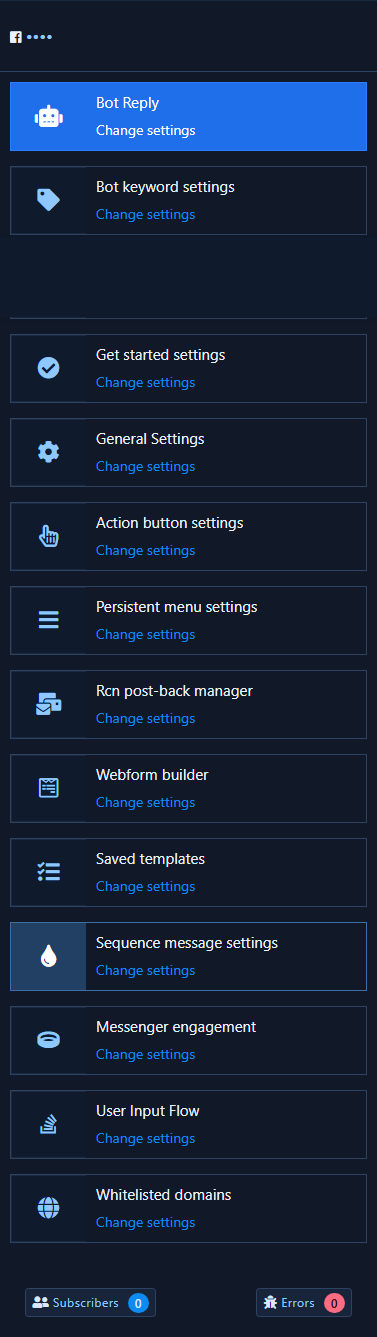
2) Open child cards: Messenger Sequence
- Click Change settings.
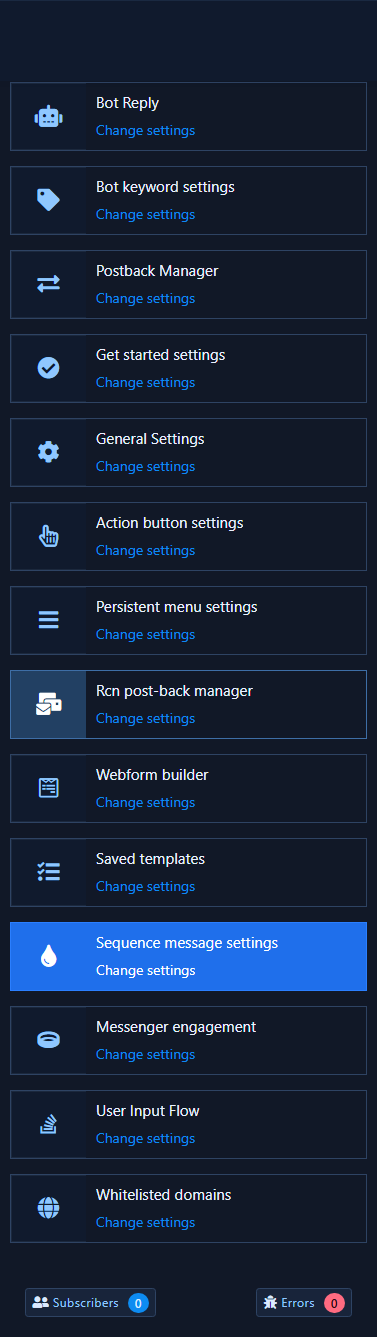
- The child card Messenger Sequence shows + Classic, + Flow Builder, and Lists.
- SMS/Email Sequence (if shown) is plan-dependent — this guide focuses on Messenger.
3) Campaign list
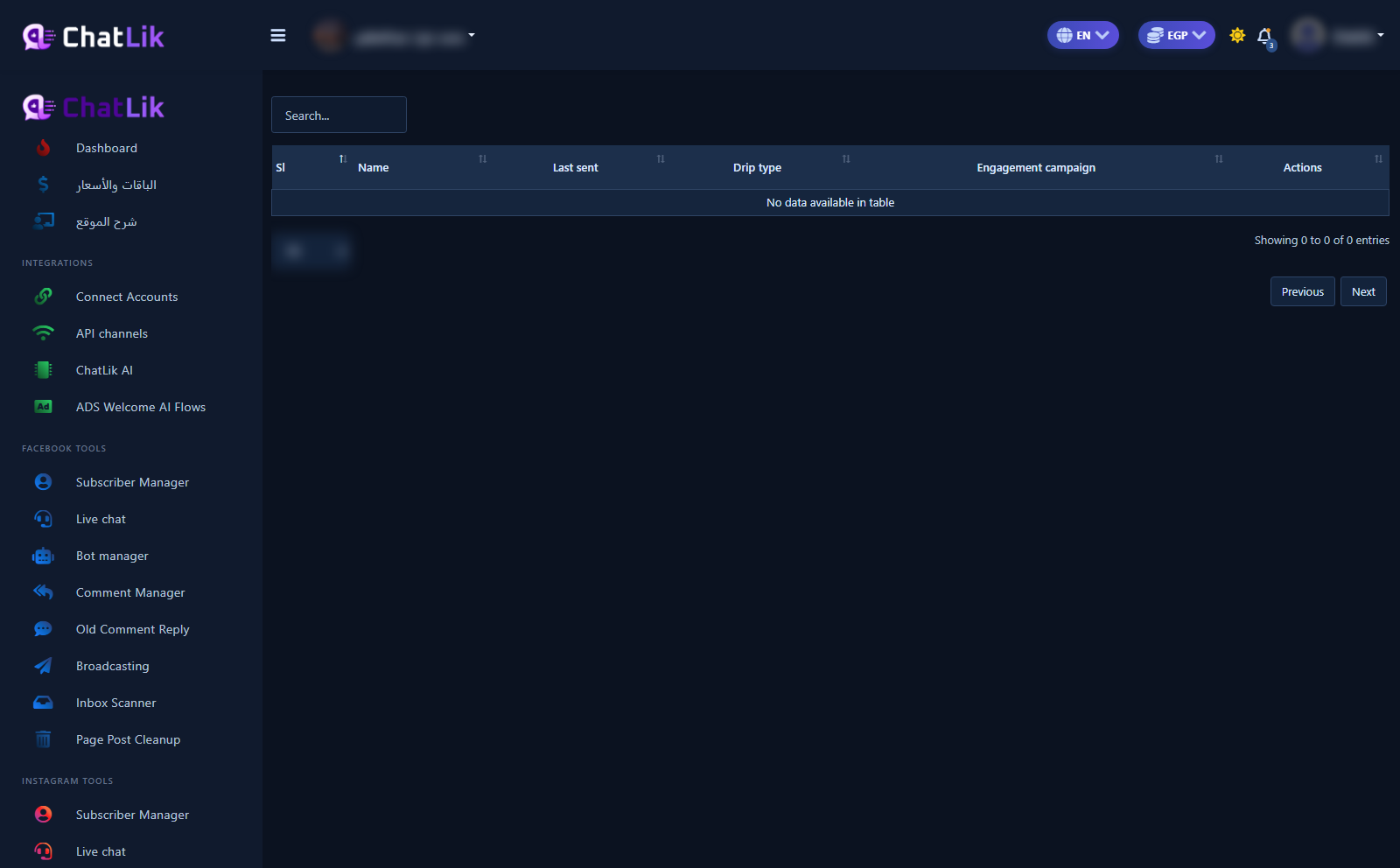
- Open Lists for the campaign table (Name / Last sent / Drip type…).
- Review existing campaigns before creating a production sequence — empty table means none yet.
4) Create the campaign and add steps
- From + Classic open + Add sequence (or Flow Builder).
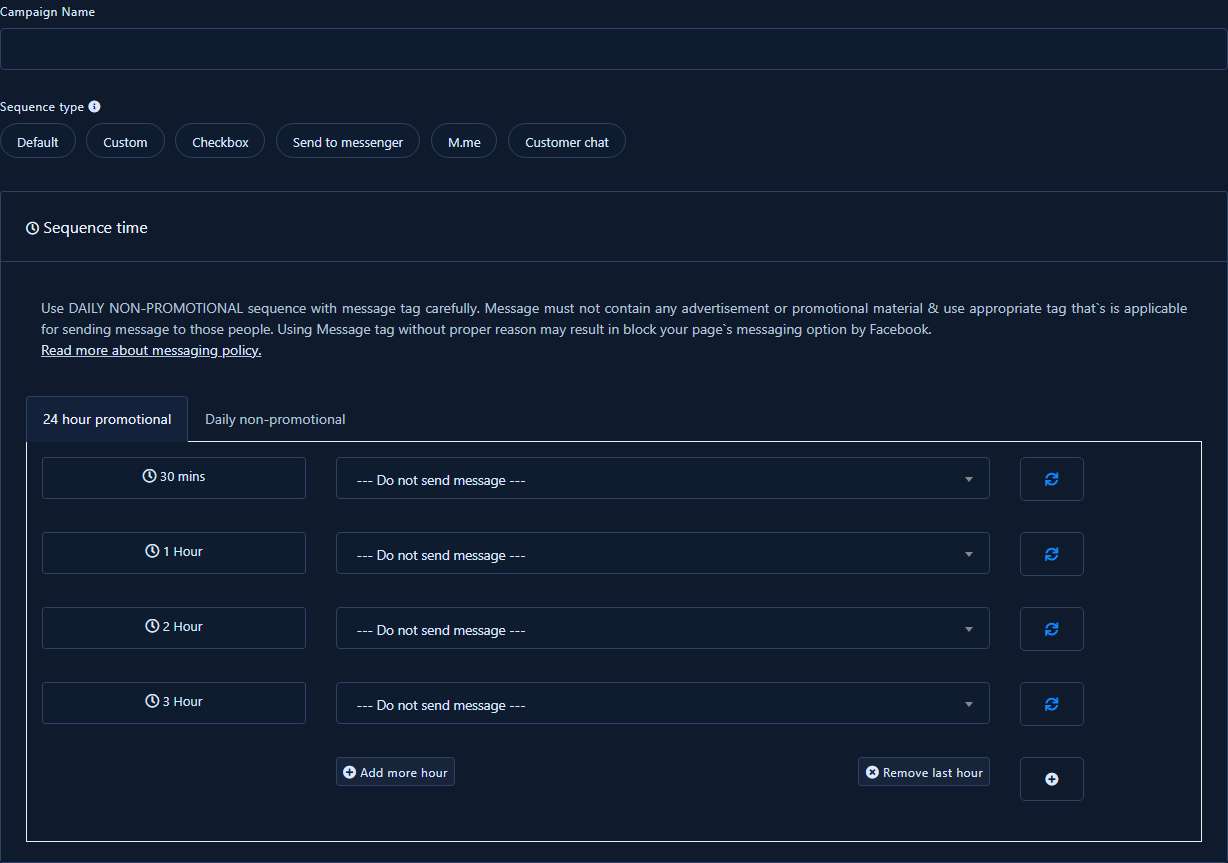
- Fill Campaign Name and pick Sequence type (Default / Custom / Checkbox / …).
- Under Sequence time choose 24 hour promotional or Daily non-promotional, then assign a message per delay (30 mins, 1 Hour…).
- Use the dropdown templates; respect the on-screen Message tag warning.
- Save. Do not blast production from a tutorial session — test with a short delay first.
Practical tips
- One job per message.
- Short delays while testing, then lengthen.
- Pause immediately if complaints spike.
- One-off labeled blasts: Subscriber broadcast, not Sequence.
Common mistakes
- Looking for the wrong card title — English UI: Sequence Message Settings.
- Launching a long sequence to everyone without a small test group.
- Ignoring messaging windows when Meta rejects sends.
- Leaving a seasonal sequence running after the offer ends.
Related
Postback Manager · Subscribers · Broadcast · Non-spammy broadcast


