
Live Support in ChatLik is the human ops layer: the ChatLik AI handoff queue, then assignment and reply in Live Chat / Inbox. Goal: a clear owner, a fast reply, then close or resume AI without orphaning the customer.
Before you start
- Connect channels and enable bot connection.
- In ChatLik AI preferences, review the Human Support card.
- Define coverage shifts and tags: new, complaint, shipping, resolved.
1) AI Live Support queue
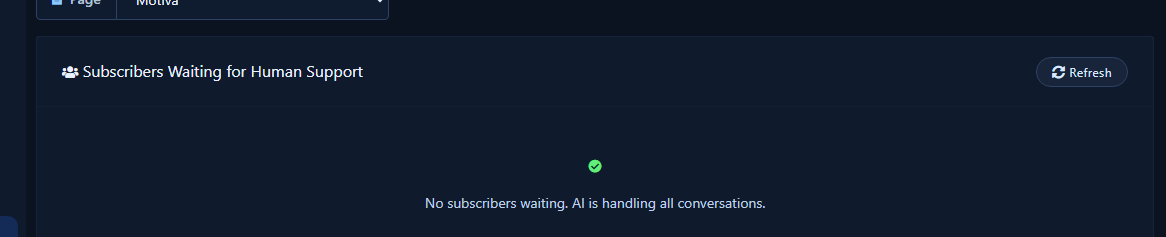
Path: ChatLik AI → Live Support. Empty-state (“AI is handling all conversations”) is normal outside peak.
2) Human handoff settings
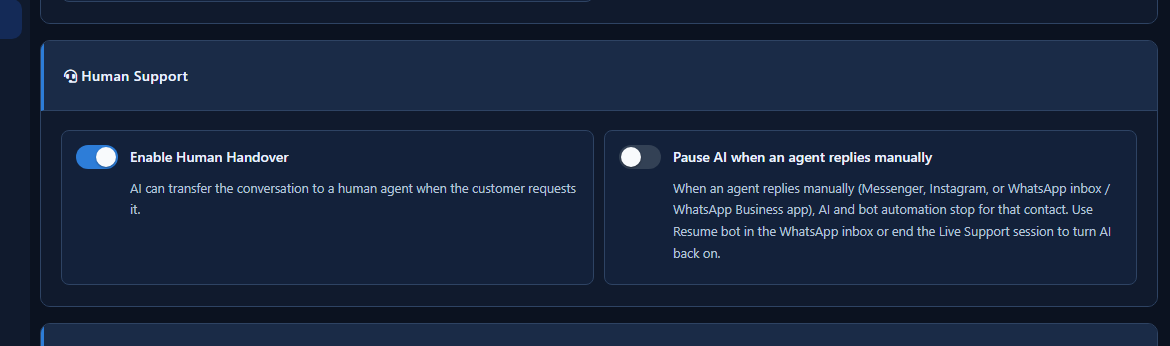
- Enable transfer to a human agent.
- Optionally stop AI when an agent replies manually.
- After resolution, use Resume bot when safe.
3) Assign and reply in Live Chat
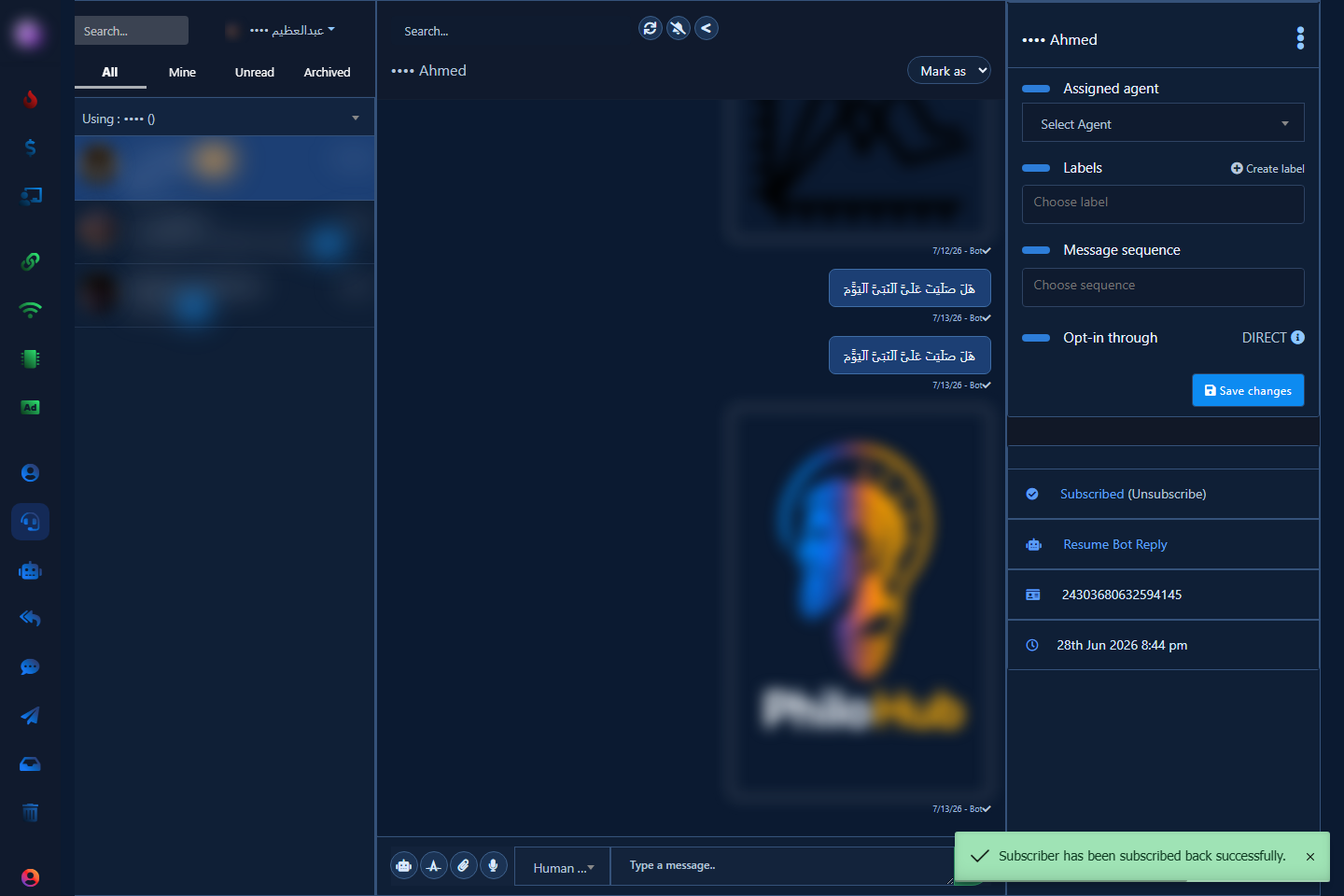
- Open Facebook Live Chat (or channel inbox).
- Assign an agent, add labels, save changes.
- Reply as agent; resume bot when the human need is done.
Tips
- First-reply minutes, not hours.
- Tag close reasons.
- Do not ignore the AI queue.
Related: AI Live Support · Inbox · Team handoff.


