
WhatsApp Tools is the ops map after you connect a number: Inbox, Templates, Broadcast, Flow Builder, Contacts, Auto Reply, Webhooks.
Sidebar — tool by tool
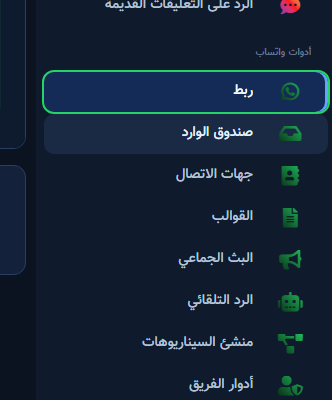
- Connect: Embedded Signup or manual credentials, then enable the bot.
- Inbox: live chats, filters, search, agent assignment.
- Contacts: customers, tags, import/export.
- Templates: create Meta templates and submit for review.
- Broadcast: campaign on an approved template + audience.
- Auto Reply: quick rules (keywords/welcome).
- Flow Builder: longer visual scenarios.
Inbox
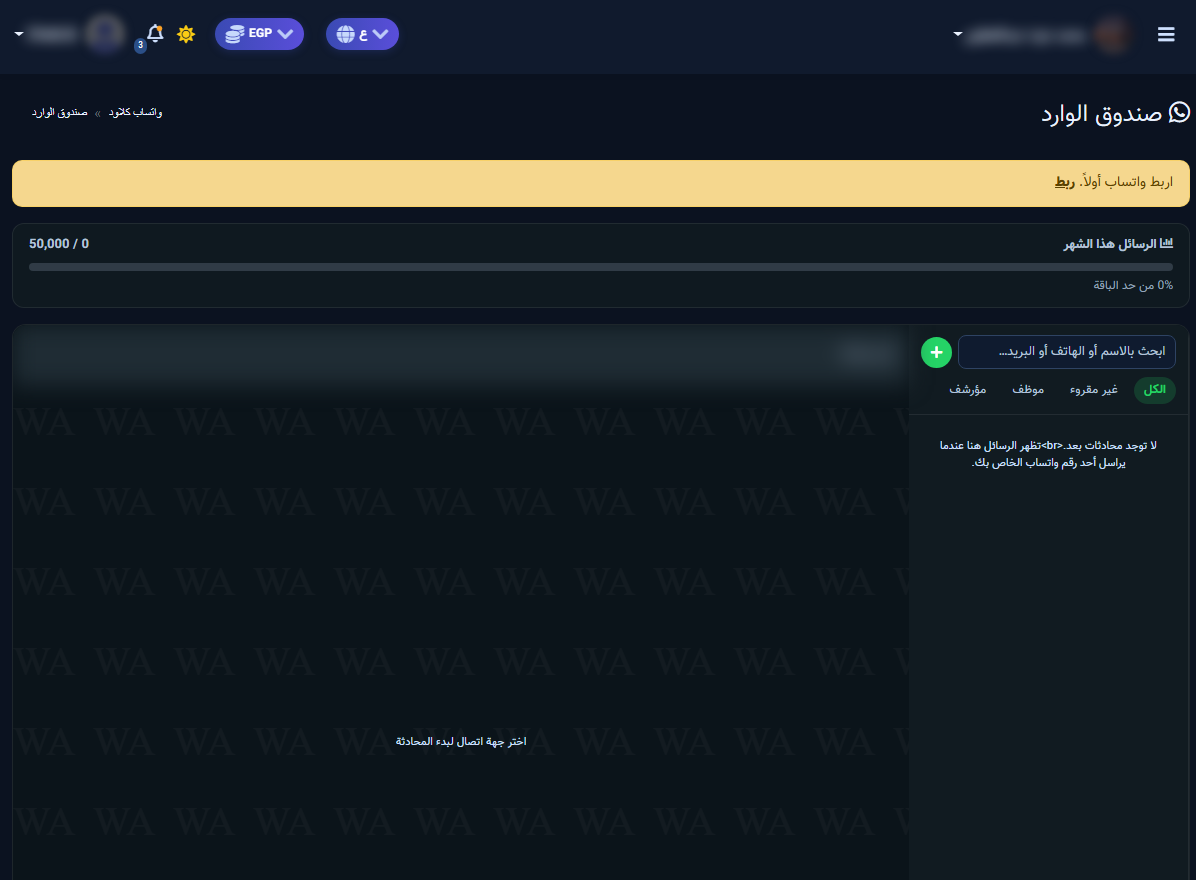
- Open WhatsApp Tools → Inbox.
- If a yellow «Connect WhatsApp first» bar appears, fix connection.
- Check Messages this month against your plan limit.
- Use All / Unread / Agent / Archived, then pick a thread to reply.
Templates
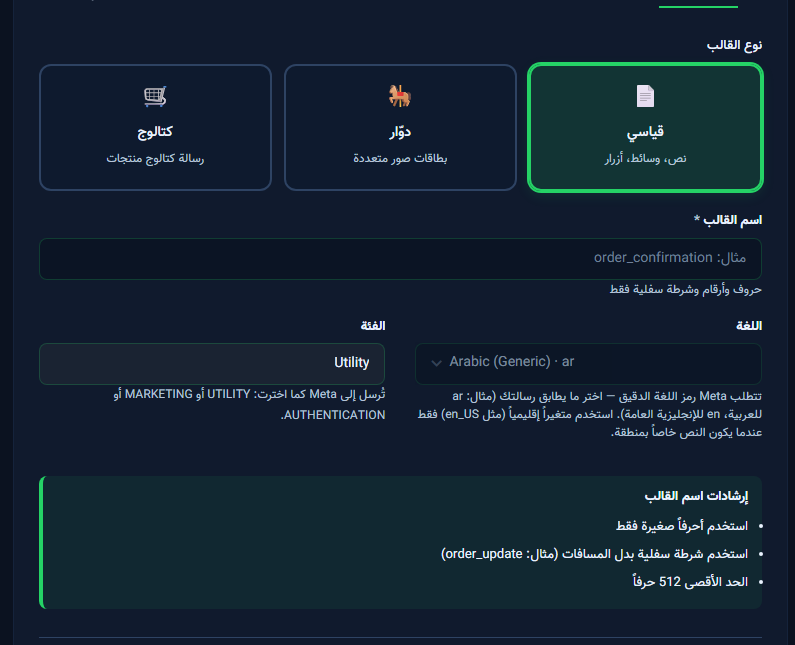
From Templates open Create Meta Template: type (Standard / Carousel / Catalog), lowercase name with underscores, category, language — then header, body, and buttons.
Broadcast
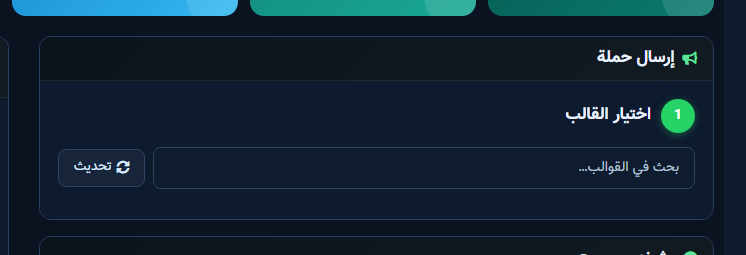
In Send Campaign start with Select Template (search or Refresh), then audience and send. Track results on Campaign Dashboard.


