
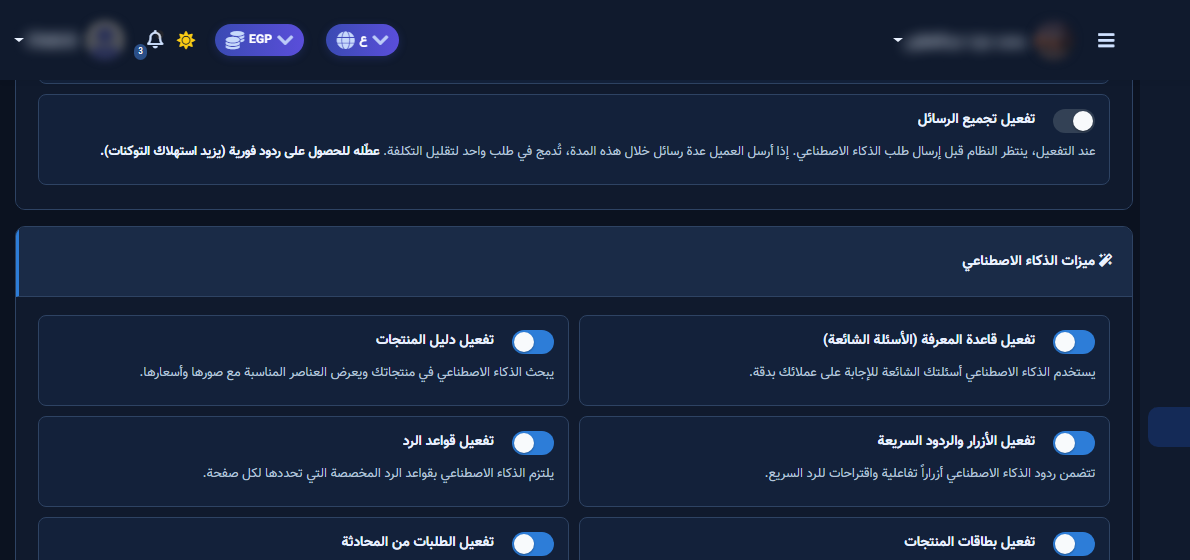
The Reply Rules tile adds standing rules the AI must follow when replying — e.g. always end with a follow-up question or never promise unconfirmed shipping dates. These are behavioural guardrails on top of instructions, not a replacement for classic Bot Manager keywords.
Before you start
- Open ChatLik AI and pick the Page in Select Page/Account.
- Review Instruction for AI and the Page AI Instruction in Business Profile so new rules do not contradict them.
- Draft 3–5 short, measurable do/don't rules.
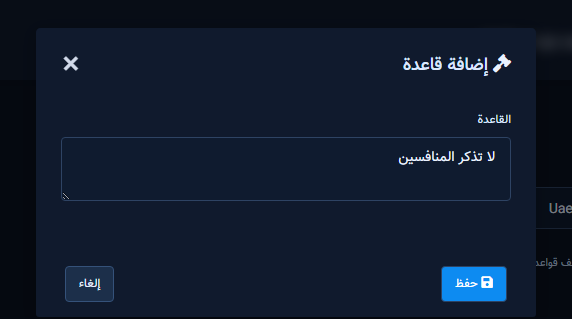
Add a rule
- Open Reply Rules and click Add Rule.
- In Rule write a clear sentence (UI example: always end by asking if they need anything else).
- Click Save. Use Edit / Enable-Disable / Delete on the list.
- Add remaining rules without stacking contradictions.
Verify
- In AI Playground send a scenario that should trigger the rule (e.g. unknown delivery ETA).
- If ignored: shorten the rule, or move it into a stronger Business Profile instruction, then retest.
- Temporarily disable a rule during seasonal campaigns if it causes awkward replies.
After setup and verification
- Document for the team: selected Page, who owns review, and when Playground was last tested.
- Review day-one live replies, any error logs, and unexpected credit usage.
- If price, policy, or hours change the same week, re-run the critical scenarios before trusting automation.
- Keep a clear human escalation path when automation fails — never leave the customer without a fallback.
Ongoing quality control
- Assign one owner to review this screen weekly so responsibility is not diffused.
- On repeating customer complaints, reopen related settings and compare them with Business Profile and FAQ.
- Log pause/edit decisions with a date so the next teammate knows what changed and why.
- Do not treat setup as finished after the first save — review it with every new offer or season.
Practical tips
- Keep each rule to one specific sentence.
- Separate legal/compliance rules from marketing tone.
- Review rules quarterly when prices/policies change.
- Recheck permissions if Save/Refresh buttons disappear after a role change.
Common mistakes
- Essay-length rules that dilute focus.
- Rules that contradict Business Profile facts.
- Using rules instead of Products Catalog for prices.
- Treating Save alone as success without a realistic customer scenario test.
Related: Business Profile · Agents · Playground.


