
WhatsApp Inbox is where humans reply to Cloud chats: list, filters, search, compose, and usage quota.
Main screen — controls
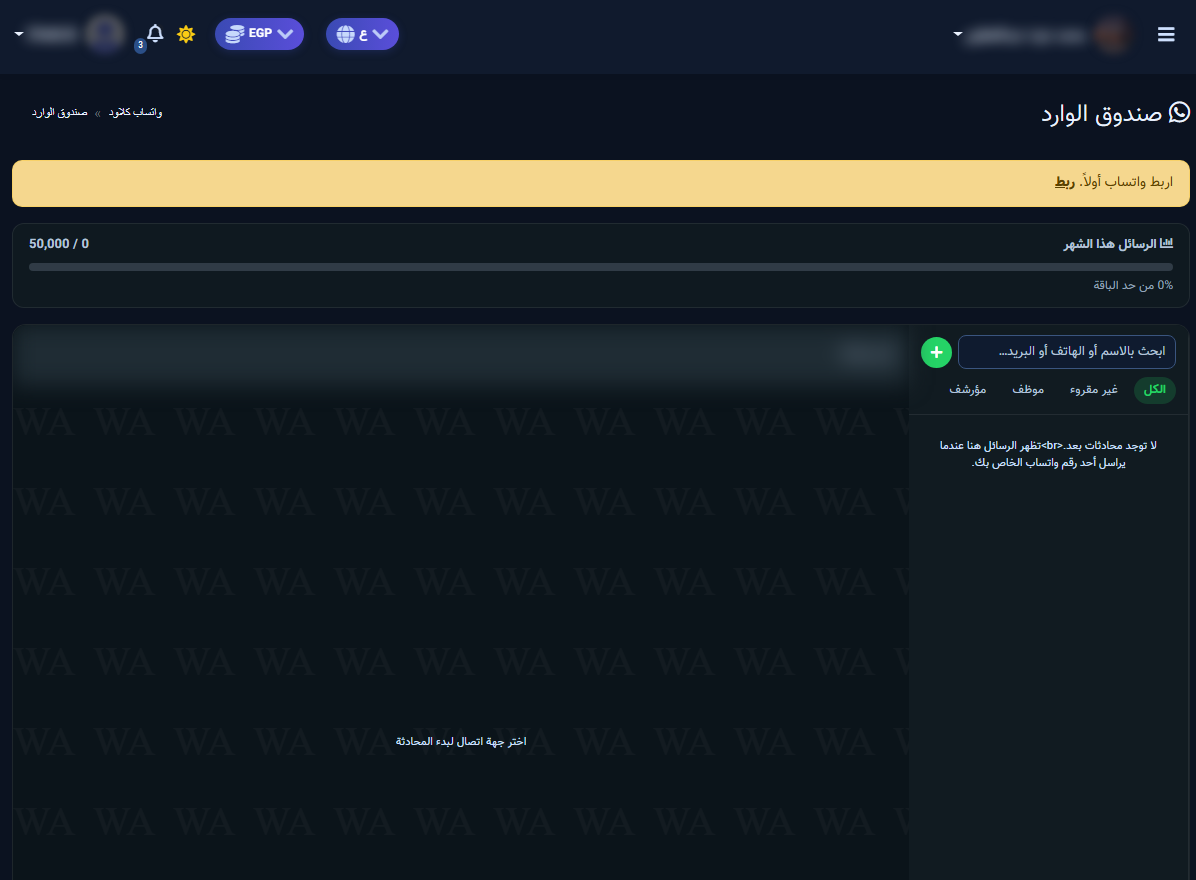
- Yellow bar: appears if the number is not connected — click Connect.
- Messages this month: usage vs plan limit.
- Search: by name, phone, or email.
- + button: start a new chat (permissions / window dependent).
- Chat pane: pick a contact to reply; empty state says choose a contact.
Filters
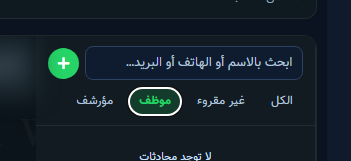
- All: every active conversation.
- Unread: not opened yet — peak-hour priority.
- Agent: handed off from the bot / assigned to an agent.
- Archived: closed or archived threads.
Daily workflow
- Clear Unread first for quick asks.
- Use Agent for bot escalations and reply manually.
- After a human close, resume the bot if needed so the session is not stuck.
- Watch the monthly message limit before heavy broadcasts.


