
Templates are required outside the 24-hour window. Path: WhatsApp Tools → Templates → Create Meta Template. Never build a broadcast on a pending template.
Before you start
- Connect the number and confirm the yellow connect bar is gone.
- Prepare a lowercase underscore name (e.g.
order_confirmation). - Pick the right category: Utility, Marketing, or Authentication.
Basic Info — every field
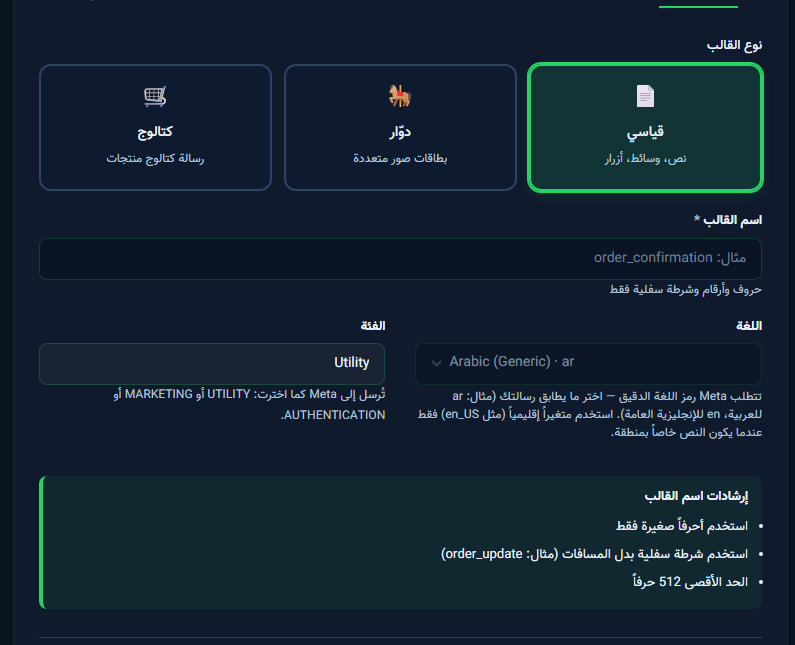
- Template type: Standard / Carousel / Catalog.
- Template name: required — letters, digits, underscore.
- Category: sent to Meta as UTILITY / MARKETING / AUTHENTICATION.
- Language: Meta code such as
aroren_US.
Header step
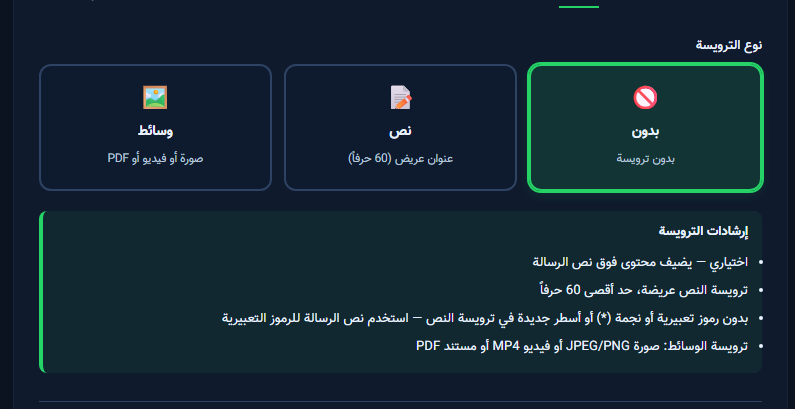
- Click Next from Basic Info.
- Choose None / Text / Media header per category policy.
- Complete Body, then Buttons and variables.
- On Review & Submit, send for approval — do not broadcast before approval.


