
Posting Tools → RSS Feed autoposting settings connect your feed and publish items to Facebook Pages using a template and posting window.

Before you start
- Valid RSS URL; Facebook Page with publish permission.
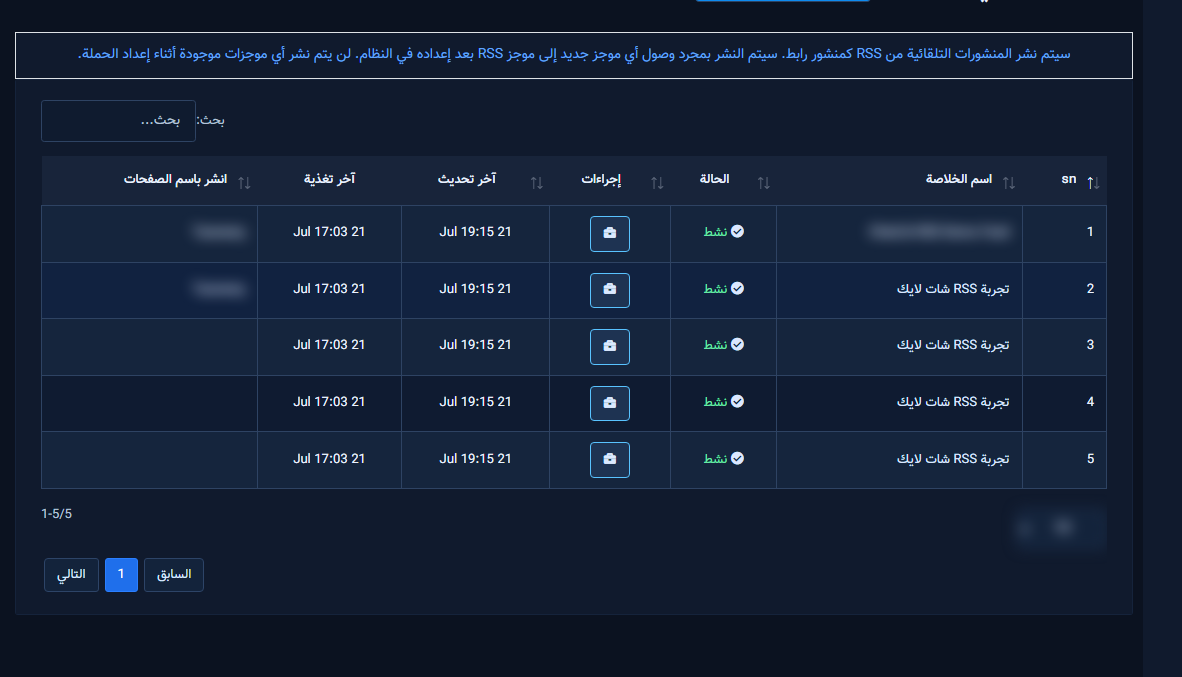
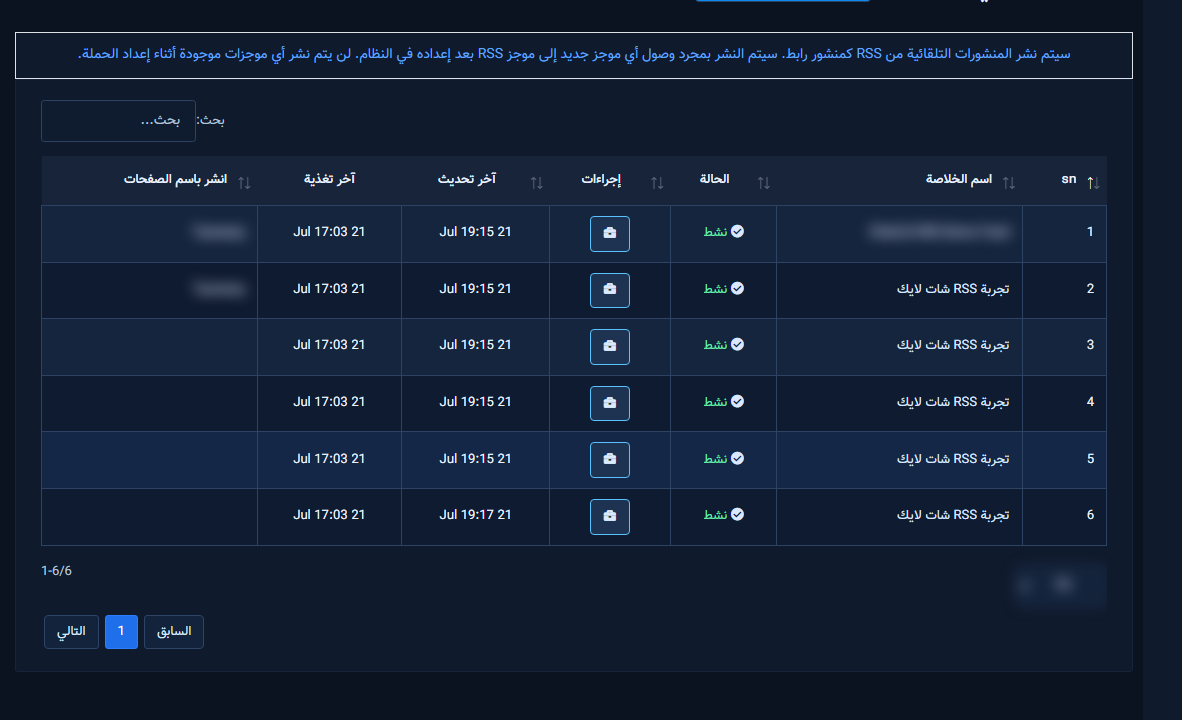
1) Feeds table
- Columns: name, status, last updated/feed, pages, actions (Settings / Enable / Force / Delete / Error).
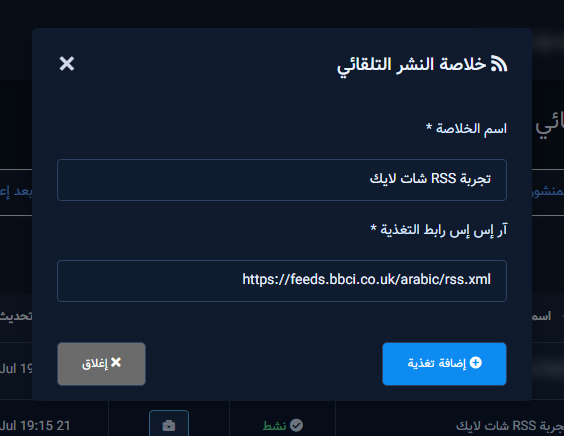
2) Add feed
- Feed type (RSS), Feed name, RSS Feed URL, Add Feed.
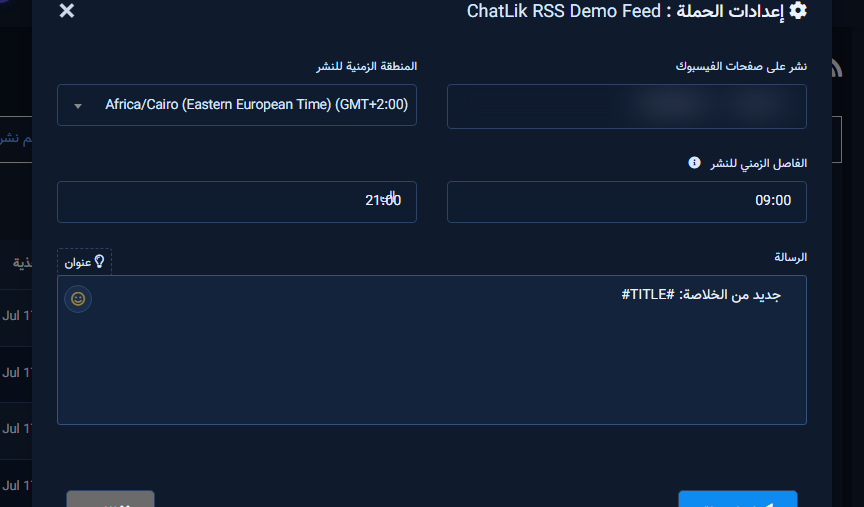
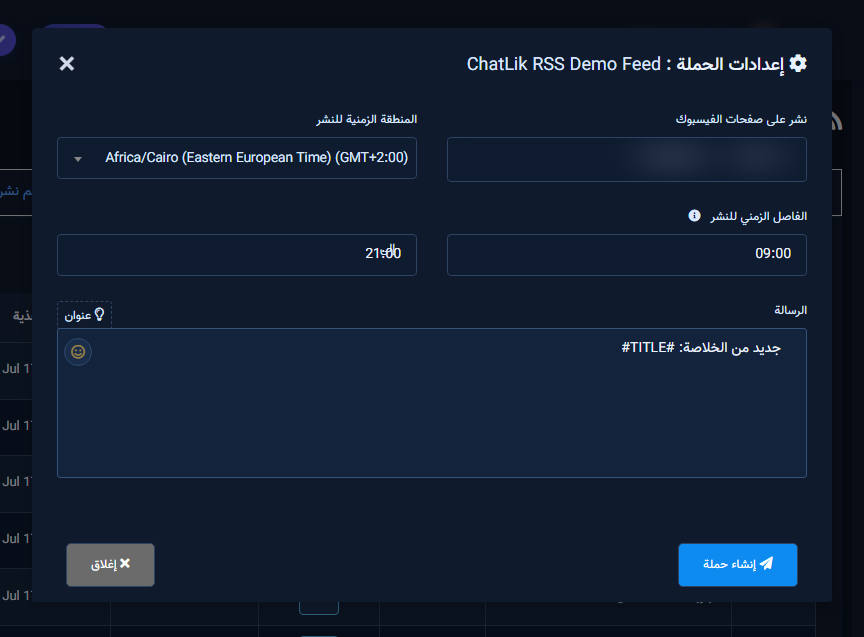
3) Campaign settings
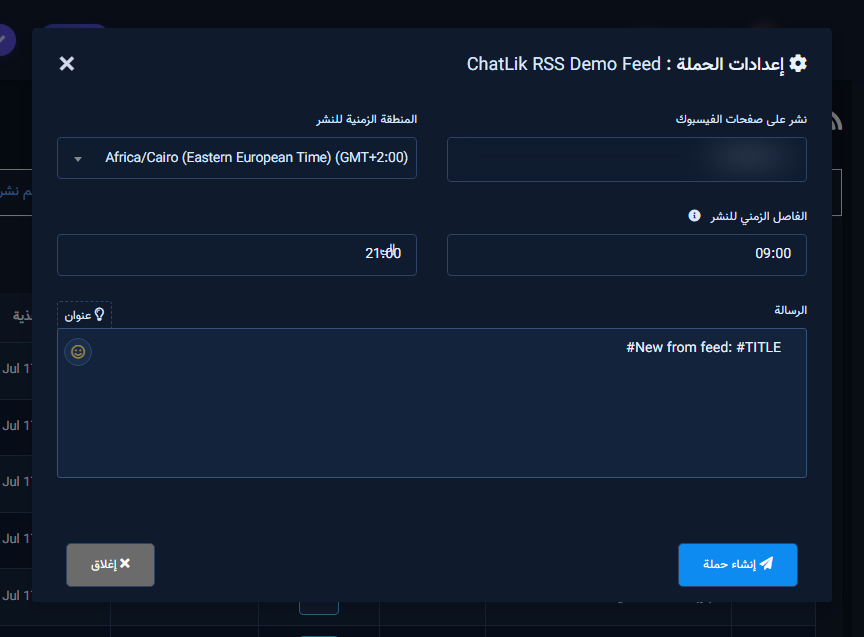
- Open Campaign Settings from the row actions.
- Fields: Post to Facebook Pages, Posting Timezone, Post Between start/end, Message with
#TITLE#insert, Create Campaign.

Tips
- Start with
New: #TITLE#. - Watch the Error column after first imports.
Common mistakes
- Invalid/protected XML.
- Saving with no Page.
- Posting window shorter than the minimum span.


