Page Post Cleanup previews Facebook Page posts by type, then deletes matching posts as a background job. Path: Facebook Tools → Page Post Cleanup. Deletion is irreversible — always preview first.
Warnings
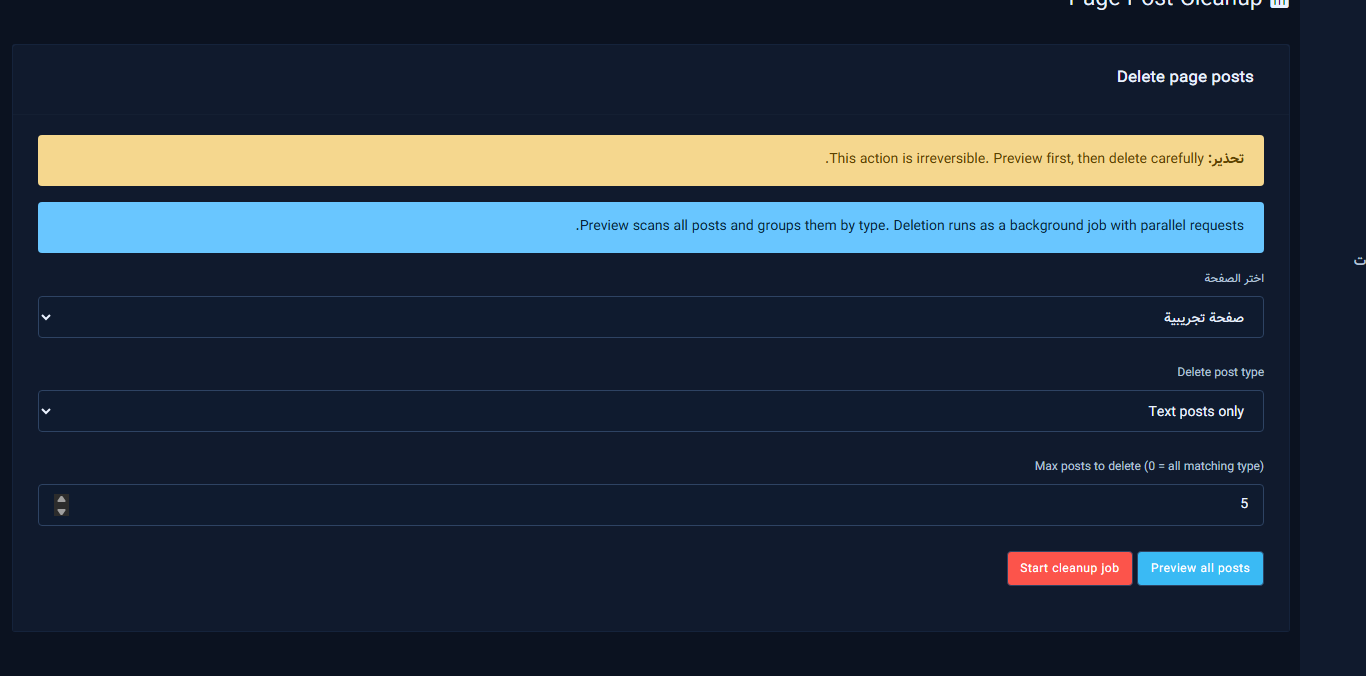
Read the yellow warning and the blue note: preview groups posts by type; deletion runs with parallel requests in the background.
Form fields

- Select page: required before preview or cleanup.
- Delete post type: All, Reels, Text, Image, or Video only.
- Max posts to delete: 0 means all matching the type; use a small number for a safe first run.
Actions

- Preview all posts: scans and lists posts with type counts (safe).
- Start cleanup job: after confirm, deletes according to filter/max — irreversible.
- Cancel job: appears while a job is running.
Preview results
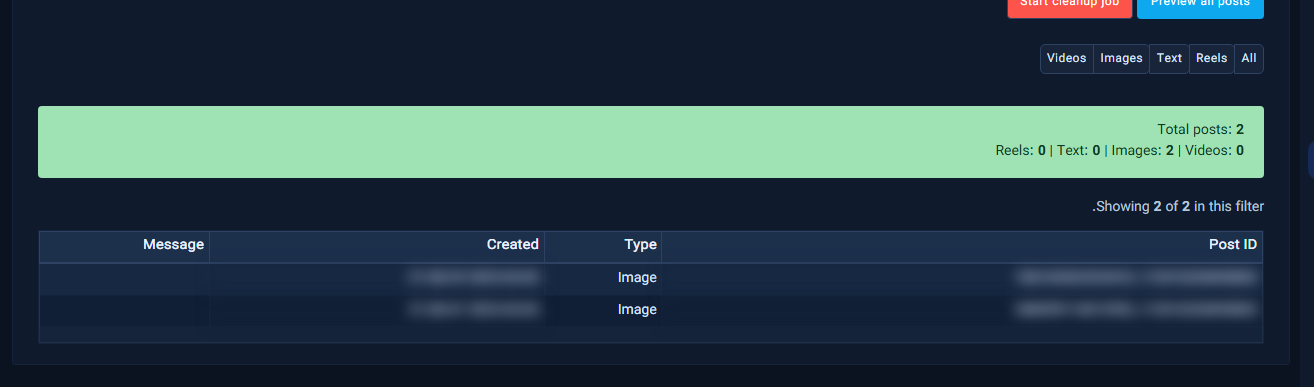
Use the type filter chips (All / Reels / Text / Images / Videos), read the totals banner, then review the table before any delete.
Related: Social Scheduler · UltraPost.
Safe scenarios
Test Page first with small Max posts. On production pause related comment campaigns, preview, delete in batches.
After the job
- Verify on Facebook
- Re-enable needed campaigns
- Treat delete as final


